
Jobby

Feature

Community

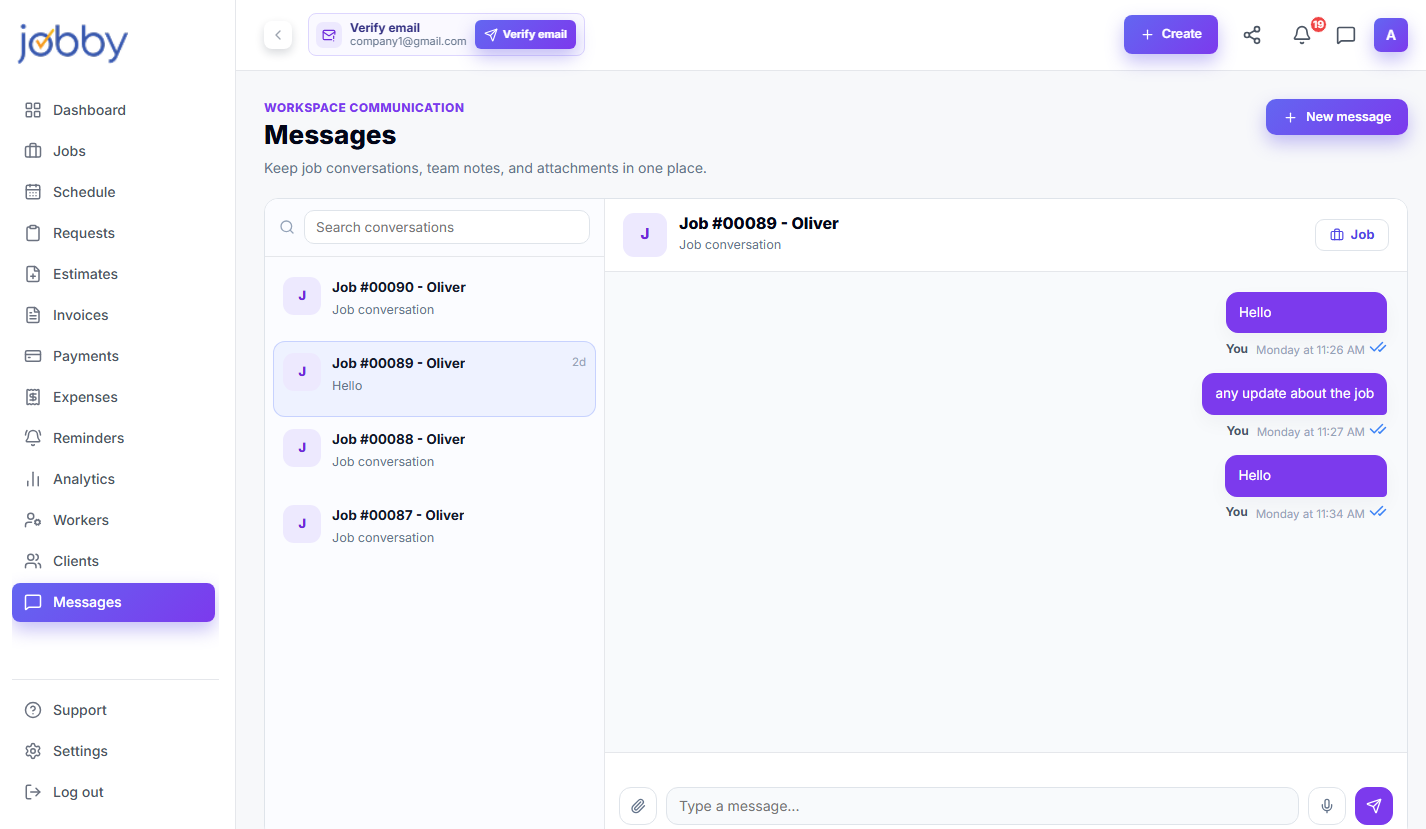
Team chat that stays on topic

Group texts are chaos — important job details get buried, the wrong person gets mentioned, and nothing is searchable. Jobby's Community module keeps team communication organized and tied to the right job, so nothing gets lost and everyone knows where to look.

98%

Retention rate

Capabilities

Everything Community does for you

Keep your team in the loop — without the group text chaos. Send messages, share updates, and keep job conversations tied to the right project.

Job-linked conversations

Every message thread is tied to a specific job, so context is always one click away.

Team announcements

Send company-wide updates that everyone sees — without a group text that devolves into chaos.

Direct messages

Message individual team members privately for one-on-one conversations.

File & photo sharing

Share job photos, documents, and specs directly in the conversation — no separate app needed.

Searchable history

Every message is searchable, so you can find that detail from three weeks ago in seconds.

How it works

Up and running in minutes

01

Open

Start or open a conversation tied to a specific job or the whole team.

02

Share

Send messages, photos, and updates — everyone on the job stays in the loop..

03

Search

Find any past message or shared file with full-text search across all conversations.

Case Study

"Community changed how we run our business. We save hours every week and get paid significantly faster. I wish I'd switched sooner."

Mike T.

Owner, Reliable Plumbing Co.

Real-world use

How trades pros use Community

Community FAQ

Community questions

How long does it take to set up Community?

Most trades businesses are up and running with Community in under an hour. Our setup wizard walks you through every step, and you can import existing data from spreadsheets or other tools.

Yes. Every Jobby plan starts with a free trial — no credit card required. You get full access to Community and every other feature so you can see if it fits your business before paying anything.

Absolutely. Community works on any device — phone, tablet, or desktop. The mobile app is built for the job site, so you can use Community from anywhere, even offline.

Our support team is available by email, chat, and phone. Most questions are answered within a few hours. Pro and Business plans get priority support with faster response times.

Yes. Community is built to adapt to how your business works — not the other way around. Customize settings, templates, and workflows to match your process.

Explore more features

Dashboard

Your numbers, your jobs, your team — all on one screen. Real-time view of outstanding payments.....

Jobs Pipeline

Never lose track of a job again. Create a job in seconds, assign a tech, track its status, and tie it....

Invoicing

Invoice from the job site. Build detailed invoices with line items, deposits, and payment terms in.....